


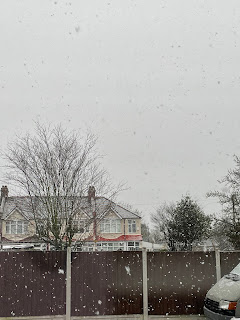
For the first brief, I was asked to create a photo spread for an online newspaper/ magazine which would be shown by using five photos. The subject/ theme that I decided to do is “Earth in a year”. The five photos that I chose are supposed to represent how the Earth can look during all four seasons (and showing the stereotypical weather that may come in that certain season). The type of publication that I would do this photo spread for would be a nature magazine, such as National Geographic, or BBC wildlife. The reason why I decided to choose this theme is due to the fact that as the year is coming to an end, I wanted to look back at how the atmosphere looked while being in various seasons in the year. This particular year has had many weathers, and I wanted to show the many aspects that the Earth can have. The first picture represents spring, (when flowers typically begin to blossom) the second is summer, (the sun setting after a hot day) the third and fourth photos are autumn (and the transition to the colder weather) and lastly, the fifth photo represents winter (on a cold snowy day). All the photos had been taken on a phone camera, but some of the pictures had been edited, by using photoshop to remove any unwanted background objects, people, etc, and to also do things such as adjusting the brightness, saturation, warmth, and overall colour to improve the photos.
Comments
Post a Comment